
Why I think every program needs a second brain (and why NotebookLM is mine)
2026.AI.04 | Why information fragmentation is the hidden tax on every TPM's week, and how Google's free tool turns scattered docs into strategic clarity you can actually cite.

This scenario is familiar.
Your title says Technical Program Manager. This demands cross-functional leadership, architectural thinking, and strategic foresight.
Your Monday morning looks entirely different:
You spend the first hour hunting for the architecture decision record from last quarter’s design review.
You spend the next hour re-reading five different status docs trying to reconstruct what “current state” actually means.
You spend the afternoon preparing for a leadership review. Not thinking about what to say, but finding the raw material to say anything at all.
You close your laptop having touched none of the strategic work that separates a great TPM from an expensive project tracker. This anxiety has a name: information fragmentation. And it’s a structural problem that gets worse, not better, as your program complexity scales.
Today I’ll cover how Google’s NotebookLM directly solves this problem, and why its core design principle is particularly valuable for Technical Program Managers.
This series covers Practical AI for TPMs and is the 4th part of the series. If you're here for agents and skills read until the end, however first let us talk about: NotebookLM.
Why TPMs have an unusually bad fragmentation problem
Most roles interact with a few core documents. Technical Program Managers are different. On any given program, you’re synthesizing:
Architecture Decision Records (ADRs) and design docs from multiple teams
Jira epics, sprint reviews, and dependency trackers
Meeting transcripts from 10+ recurring syncs per week
Stakeholder emails, Slack threads, and executive updates
Risk registers, migration plans, and technical debt backlogs
OKRs, roadmaps, and business context from product leadership
The cognitive overhead of holding all of this context simultaneously, and synthesizing it fast enough to be useful, has exceeded what human working memory can handle. This isn’t a time management problem. It’s an information retrieval problem.
What makes NotebookLM different: Source-Grounding
Most AI tools fill gaps with training knowledge. Ask your favourite AI tool about your program and it pattern-matches from everything it learned, not from your actual documents. For TPMs, that's dangerous. When your status doc says the Auth migration is on track but the engineering Jira says it's blocked pending security review, you need the AI to surface the conflict, not paper over it.
NotebookLM is architecturally different. It operates on source-grounding: it reasons strictly from the documents you upload. Nothing else. If the answer isn’t in your sources, it says so.
The practical consequence: every output cites the exact source and section it drew from. You can click through and verify. That makes NotebookLM’s outputs defensible in a way that matters when you’re presenting to engineering leads or executives. The constraint is the feature.
Setting up NotebookLM: 5 minutes to your first program brain
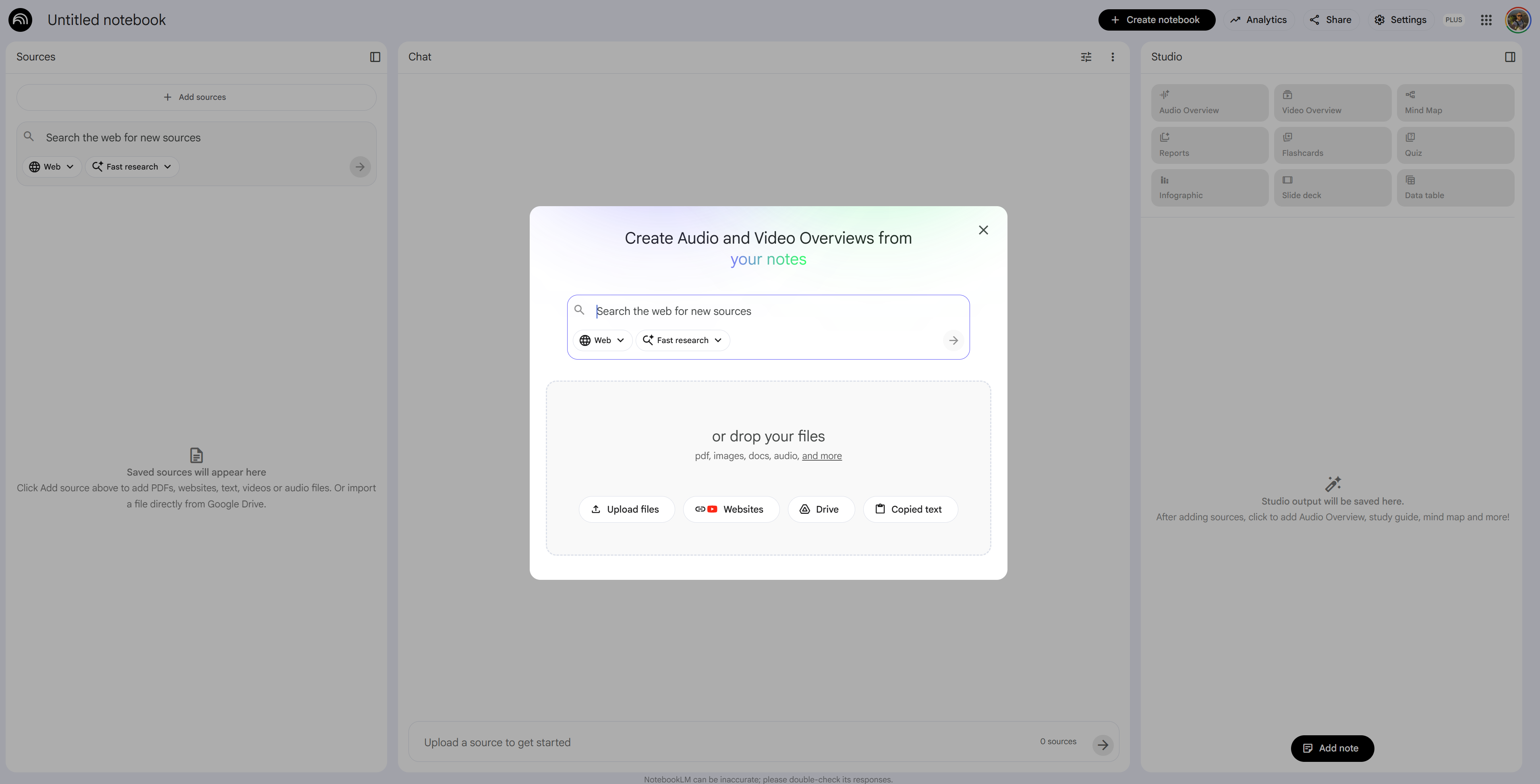
NotebookLM is free, no-code, and runs in your browser. You create a notebook, upload your sources, and ask questions.
What you can upload:
Google Docs and Drive files (with manual sync when originals update)
PDFs: architecture docs, design reviews, exported reports
Audio files: meeting recordings processed into text
URLs: public web pages and documentation sites
YouTube video transcripts
Copied text and markdown
The key workflow:
Create a notebook per program or area
Upload your relevant sources
Ask questions in chat. Every answer cites the exact source.
Pin useful responses as Notes to chain into subsequent steps
Use the Studio panel to generate Audio Overviews, Briefing Docs, Mind Maps, Data Tables, and Slide Decks from your sources
One important clarification before we go further: NotebookLM works from static snapshots of your files. Google Drive sources can be manually re-synced when the original changes, but there’s no live connection to your Jira board, Slack channels, or project management tools. The workaround for those: export a CSV or PDF snapshot from Jira, paste a Confluence page as a source, or copy the relevant Slack thread text. The analysis is only as current as your last upload, so building a regular refresh cadence into your workflow is worth the effort.
3 High-Leverage NotebookLM use cases for TPMs
A note: everything you see here - the notebook, the sources, the outputs - was built on synthetic data for illustration. The workflows are real. The program isn't.
1. Architecture Review Synthesis
Turning design doc sprawl into actionable insight
The problem: You're accountable for technical decisions across 5+ squads, but you can't attend every design review. Architecture docs accumulate in Drive, each with a different format, different level of detail, and different vintage.
The NotebookLM pipeline:
Phase 1: Build the technical context Upload the last 3–5 architecture docs, design review notes, and associated ADRs. If you have meeting transcripts from architecture review sessions, add those too.
Phase 2: Surface decisions and dependencies
Across all uploaded design documents, extract:
1. All architectural decisions made (what was decided, by whom, when)
2. All open questions or deferred decisions
3. All cross-service dependencies introduced
4. Any technical risks explicitly called out
Format as a decision registry. Cite the source document and section for each item.
Phase 3: Identify the gaps
Based on the decisions logged, what technical dependencies exist between these
systems that don't yet have a documented resolution or owner?
List each gap with the source document that surfaces it.
Pin these outputs as notes.
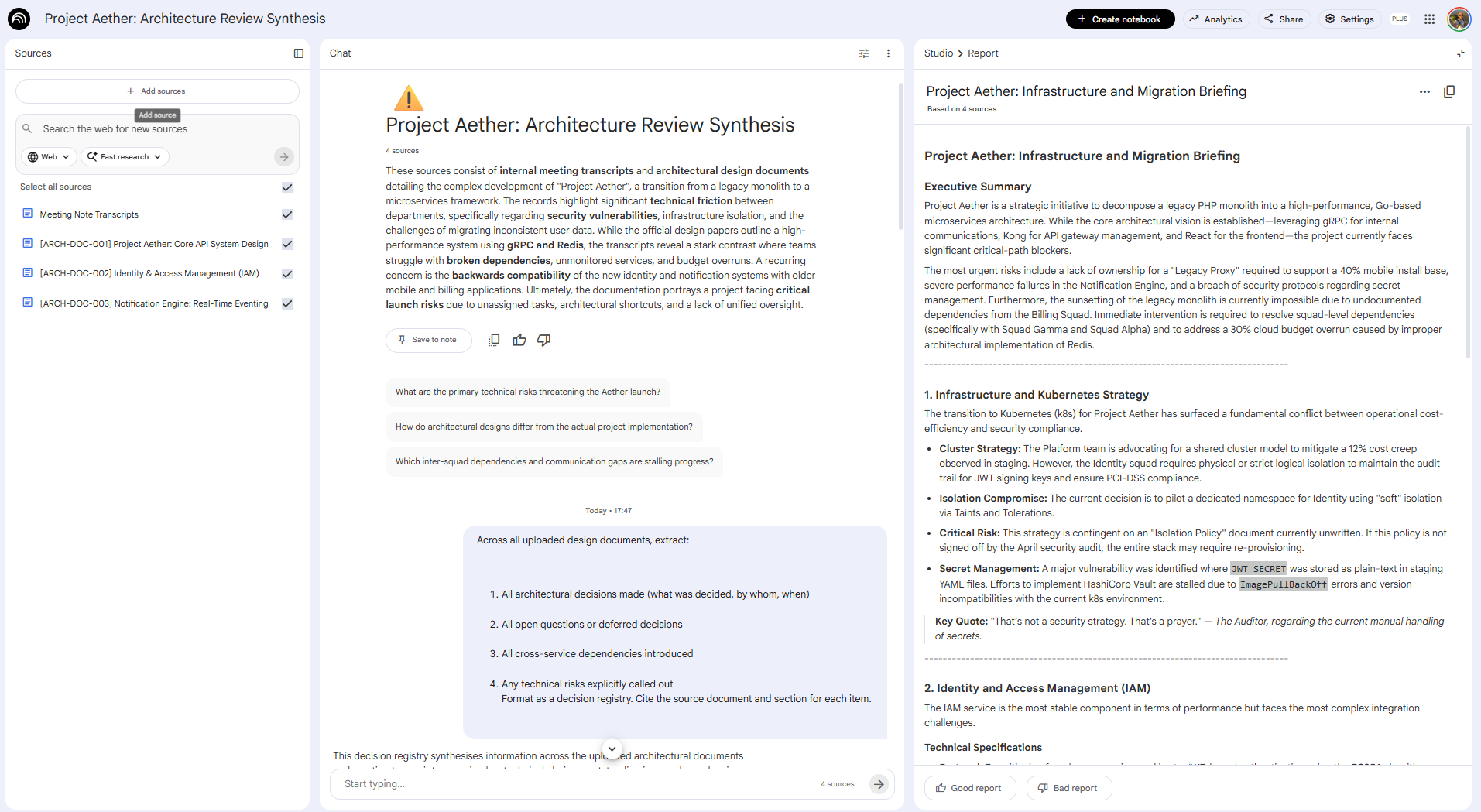
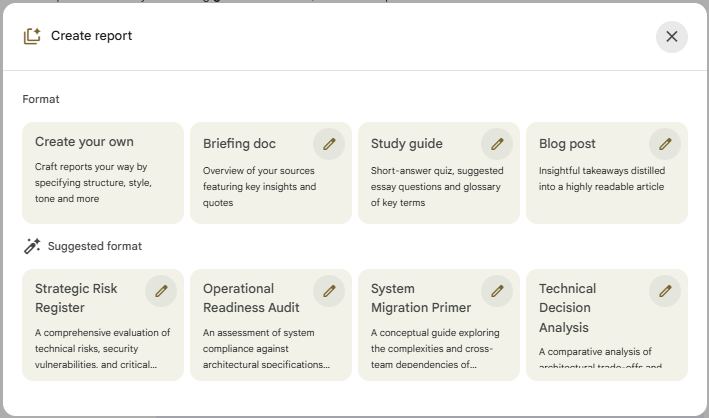
Phase 4: Generate your architecture summary brief Use Studio —> Reports —> Briefing Doc to produce a shareable single-page synthesis. NotebookLM also makes suggestions on which reports should be generated. You now have a source-cited technical briefing, produced in under 20 minutes, that would have taken 3 hours to produce manually.
The payoff: Architecture Review Summarization saves approximately 1 hour per design review. Across a program with weekly reviews across 5 squads, that’s 5 hours a week reclaimed from document archaeology. And because every finding is cited, you can walk into the review with confidence that you haven’t missed anything that was actually written down.
2. Multi-Audience Status Report Generation
One source of truth, five different stakeholders
The problem: You spend 3–5 hours a week writing status reports. Engineering leads want technical detail. Executives want risk and timeline. Product wants feature progress. Each version either starts from scratch or from a copy-paste that quietly introduces inconsistencies between what you told engineering and what you told leadership.
The NotebookLM pipeline:
Phase 1: Build the weekly status corpus At the end of each week, upload your squad sync notes, Jira export snapshot, blockers log, and any escalation threads. This becomes your single source of truth for the reporting cycle.
Phase 2: Generate the base synthesis
Summarize the current state of the program based on all uploaded documents:
- Overall program health (Red/Yellow/Green with justification)
- Key accomplishments this week (by squad)
- Active blockers and owners
- Risks requiring escalation
- Decisions needed from leadership
Cite the specific source document for each item.
Phase 3: Generate audience-specific versions
Using the program summary above as your only source, rewrite it for three audiences:
1. Engineering leads: technical detail, specific blockers, dependency flags
2. Executive stakeholders: business impact, timeline risk, decisions needed
3. Product leadership: feature progress against roadmap, scope changes, customer impact
Keep each version under 250 words. Do not introduce information not present in the summary.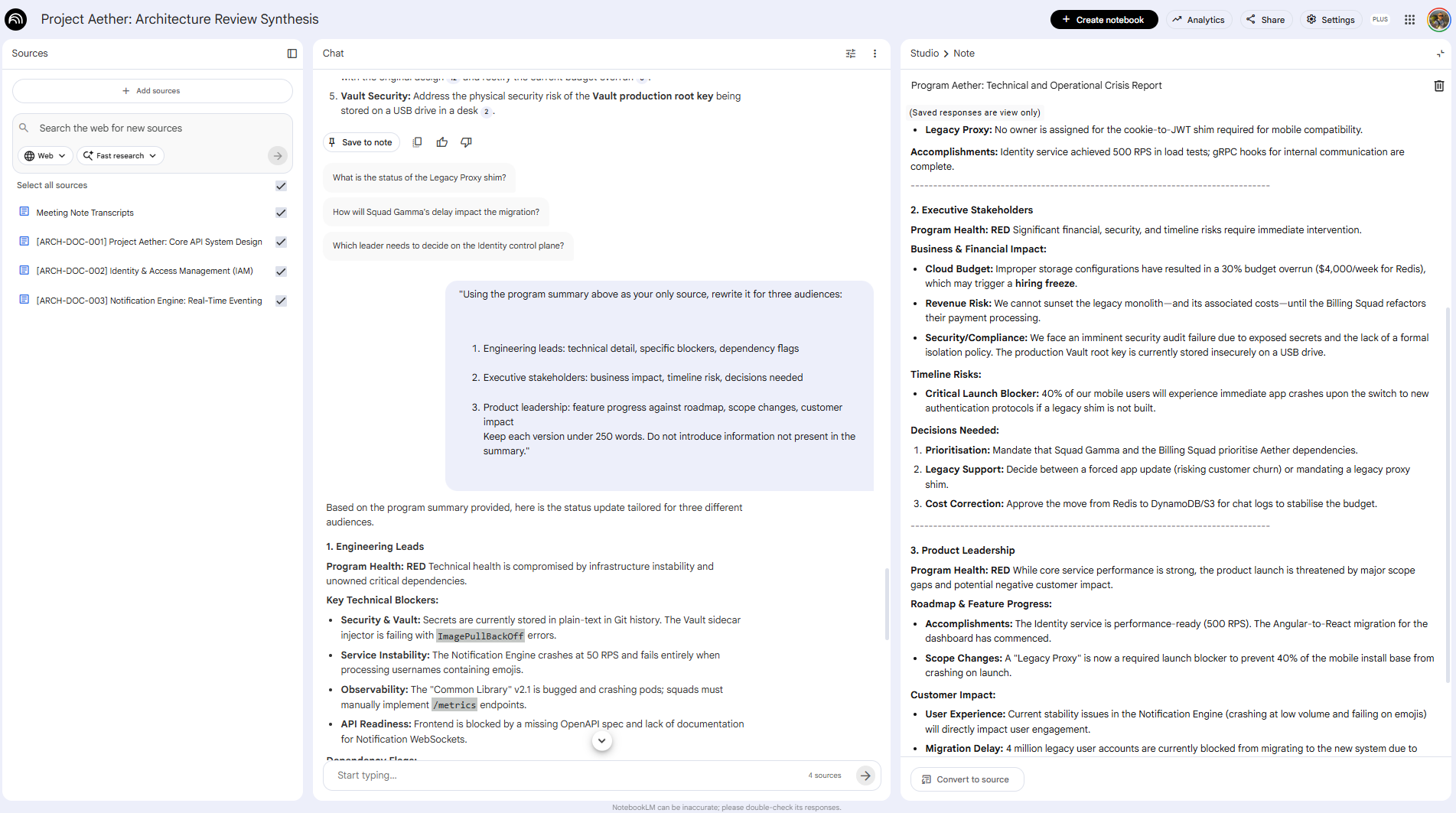
The payoff: Report creation time drops by 70%. More importantly, because every version traces back to the same NotebookLM source, your engineering summary and your executive summary will never contradict each other, a problem that’s easy to create and painful to discover in a joint stakeholder review.
3. New TPM Onboarding: Building the Program Brain
Making institutional knowledge transferable
The problem: A new Technical Program Manager joins your team. They’re capable and motivated. But your program has 6 months of decisions, pivots, escalations, and tribal knowledge buried across dozens of Drive folders that nobody has organized since Q1. It will take them weeks to reach baseline context. In those weeks, you’re fielding questions you’ve already answered and they’re making decisions without the history that would change them.
This problem gets worse every time someone rotates onto a complex program. And most TPM teams have no systematic solution for it.
The NotebookLM pipeline:
Phase 1: Build the program onboarding notebook Create a dedicated notebook for the program. Systematically upload the artifacts a new TPM actually needs: the program charter or kickoff doc, ADRs and key architecture decisions, milestone reviews, the current dependency register, the active risk register, and any significant post-mortems or escalation records.
This isn’t a one-time effort. Designate this notebook as a living onboarding resource and make uploading key docs part of your program’s rhythm. Pro Tip here is as I have done it to have one NotebookLM per program and you build on top of it.
Phase 2: Let the new TPM ask their own questions Instead of scheduling 4 hours of shadowing sessions, share the notebook and have the new TPM work through it themselves first:
I'm joining this program as a new TPM. Help me understand:
1. What is this program trying to achieve and what's the current status?
2. What are the most significant architectural decisions already made, and why?
3. What are the active risks and open dependencies I should know about immediately?
4. Who are the key stakeholders and what do they care most about?
5. What decisions are still unresolved that I'll need to engage with?
Source-grounding means every answer cites the actual program document. They’re not getting a summary; they’re getting a navigable map back to the original context.
Phase 3: Generate a structured first-week brief
"Based on all uploaded program documents, create a structured onboarding brief
for a new Technical Program Manager. Include:
- Program mission and current phase
- Key architectural decisions made and their stated rationale
- The 3 most critical active risks and their current mitigation status
- Open decisions that require the TPM's involvement
- The stakeholder map: who owns what and what they need from this program
- What to read first (prioritized source list)
Format as a document they can work through in their first week."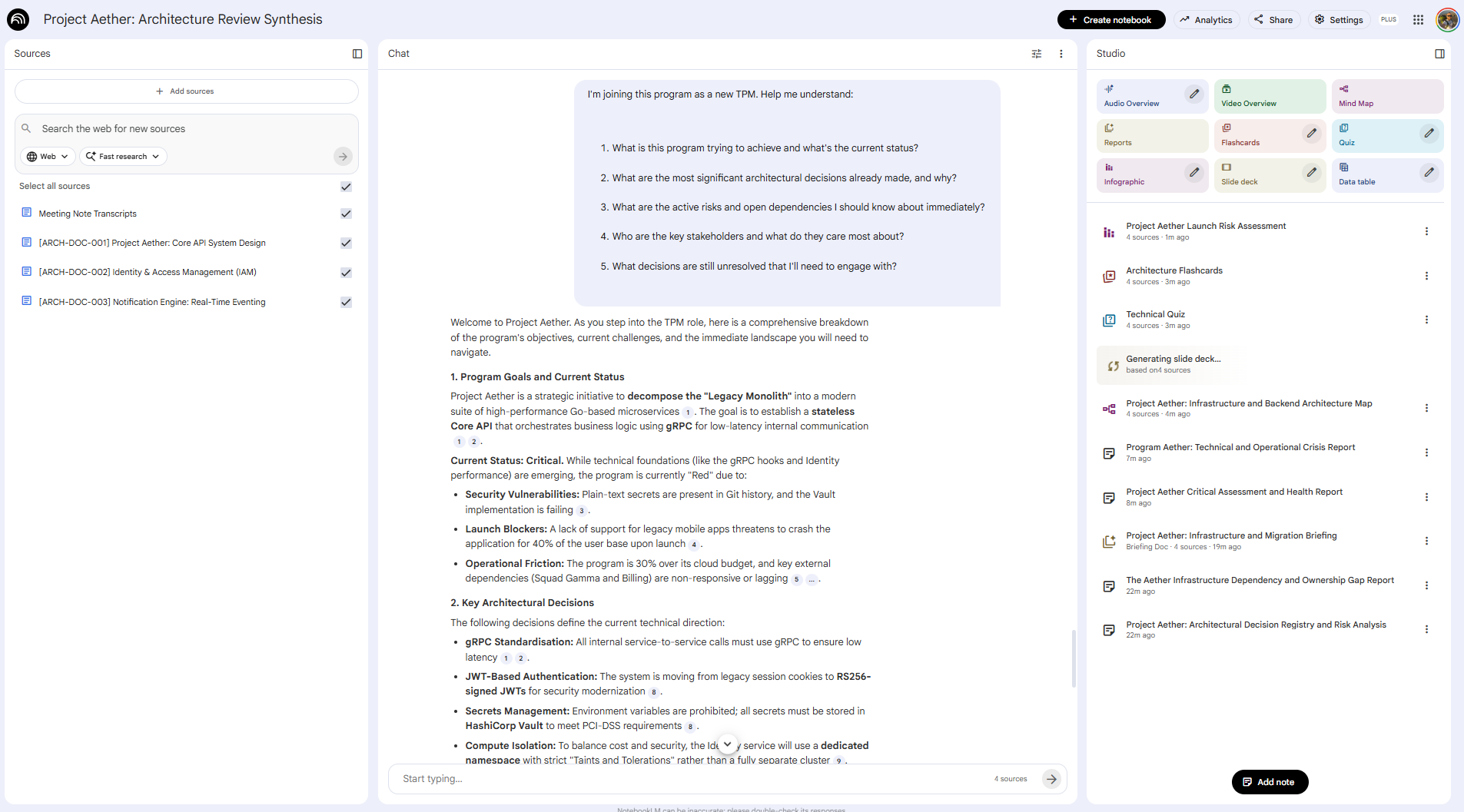
Phase 4: Capture the questions that reveal the gaps The questions a new TPM asks in week one are diagnostic. Have them log any question the notebook couldn’t answer from the uploaded sources. Those are your documentation gaps. Upload the answers as new sources. The notebook gets more useful with each rotation. You can also see that I generated Technical Quiz or a Launch Risk Assessment.
The payoff: Onboarding time to baseline program context drops from weeks to days. More importantly, the new TPM arrives at their first stakeholder meeting having already read the history. They show up as someone who can engage with the decisions that are live right now, not as a passive observer absorbing context.
The TPM NotebookLM Starter Stack
You don’t need to implement all three use cases at once. Here’s how to sequence it:
Week 1 (Quick Win): Status Report Generation
Upload this week’s sync notes and sprint review exports
Run the multi-audience prompt above for Friday’s report
Benchmark the time saved against last week
Weeks 2–3 (High Value): Architecture Review Synthesis
Create a notebook before your next design review
Upload the pre-read docs, run the synthesis prompts before the meeting
Compare your preparation quality and time against the previous review
Month 2+ (Strategic): Program Onboarding Notebook
Start uploading key program artifacts systematically
Test it yourself first: ask the questions a new TPM would ask
Share it with the next person who joins your program
What NotebookLM can't do and why it matters
Source-grounding is the feature, but it comes with real constraints worth naming clearly.
NotebookLM works from static snapshots. It has no live connection to your Jira board, Slack workspace, or any project management tool. Google Drive files can be manually re-synced, but everything else requires you to re-upload when the source changes. If you upload a dependency register on Monday and it gets updated Wednesday, the notebook doesn’t know.
The practical implication: build a weekly upload cadence into your workflow. Treat NotebookLM like a weekly brief that you refresh with current exports, not a live dashboard.
It also can’t make strategic judgments. It surfaces what’s in the documents: contradictions, gaps, risks, decisions. What those mean for your program and what you do about them remain yours. That’s not a limitation. It’s the right division of labor. The synthesis is the time-consuming part. The judgment is the valuable part.
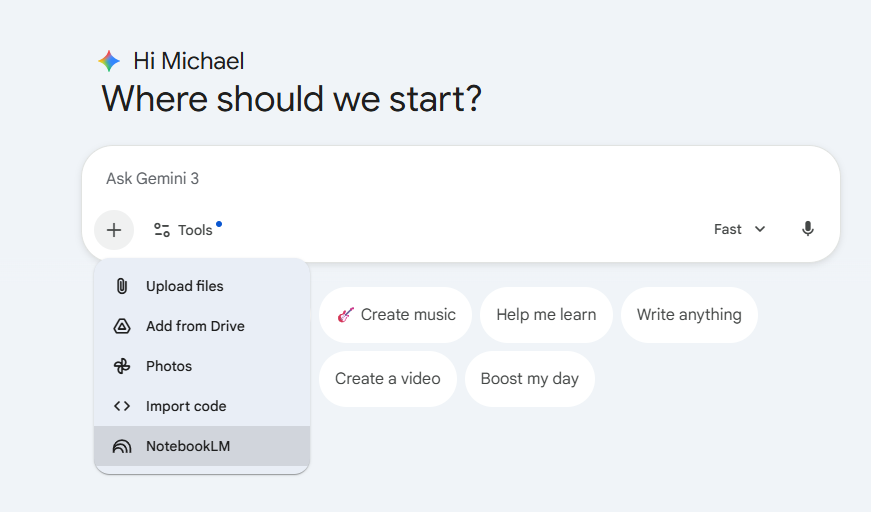
Recently you can use NotebookLM within Gemini.
Start this week
The highest-leverage entry point is deceptively simple: take the documents you’re already reading this week, upload them to a NotebookLM notebook, and ask it to surface dependencies and open decisions.
You’ll spend 15 minutes setting it up. You’ll get back more than that in the first session.
The TPMs who establish this habit now aren’t just saving time. They’re building a systematic advantage in program clarity that compounds with every document they add, and that survives every team rotation.
What comes next: Giving your program brain a pair of hands
If you’re already thinking about agents and skills, here’s the short version: an agent decides what to do next on its own, a skill just executes when called and what follows is about connecting the two.
NotebookLM as described here is a thinking tool. You ask, it answers. You synthesize, you decide, you act.
But there’s a next layer that’s already being built.
An open-source project called notebooklm-mcp-cli connects Claude and Gemini directly to your NotebookLM notebooks via the Model Context Protocol. That means an AI agent, not just a chat interface, can query your program notebook, get source-cited answers back, and act on them. Automatically. On a schedule. Without you initiating each query.
Google is clearly building toward production-grade NotebookLM + Gemini agent integration. The cookie-scraping that is used in the repo workaround goes away. The 50-query limit goes away. The architecture built experimentally becomes reliable infrastructure. What that still won't resolve: the judgment calls. Which AT RISK dependency warrants a direct conversation vs. an async message. Whether the engineering lead's "we're on track" in the transcript means what it says. The system gets better at the operational surface. It doesn't get better at reading the room.
The question nobody can answer yet As the operational surface gets more automated, what happens to the TPMs who built their expertise on that surface? The optimistic read: they move up, become orchestrators, focus on the judgment layer. The uncomfortable read: if fewer people exercise the operational muscles, fewer people develop the judgment that comes from exercising them. If agents handle the early signals, who learns to read the signals that haven't become data yet?
I don't know which future is right. So I'm building. The results are still coming in.
The next part of this series will focus on building the first skill for a TPM Operating System and also launches a TPM Skill library added to my Github Use Case Library. Let me know if you want to contribute!
So long
Michi